The Brand kit is the definition of how your business looks and sounds in every creative: the logo, the colors, and the tone of voice. We embed it in your system before handover, and update it when you contact us. Here is what it includes, how to update a logo or colors, what is in your hands inside the board, and what to do when a creative does not come out in the style you wanted.
We didn't find an answer for that search. Try another word, or ask the bot below.
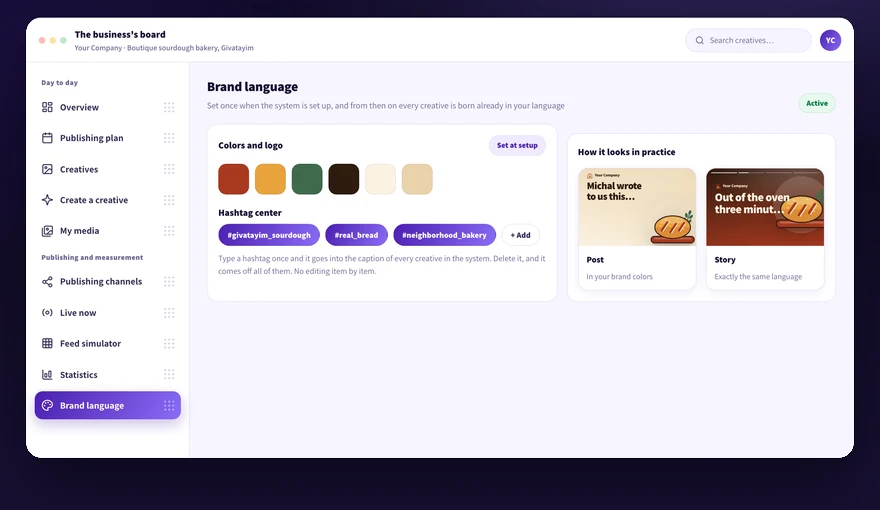
The Brand kit includes the business's logo, colors, and tone of voice, and it is embedded in your system before it is handed over. From then on every creative is born from it.
1
Before setup, send us a clean logo file, your brand colors, and one sentence that explains how the business talks.
2
We embed all of it in your system, and from there every creative is built with that logo, those colors, and that tone.
3
Create one creative after handover to see how the settings look in practice.
4
Write to us at info@kampi.co.il or call 054-5082696 if something is off, and we fix it.
There is no screen on the board where you edit the logo, colors, or tone yourself. Updating the Brand kit is done with us.
Send us the new logo file and we replace it in the Brand kit. From the moment of the replacement, new creatives are created with the updated logo.
1
Prepare the new logo as a clean file, preferably without a white background around it.
2
Check that it looks clear at a small size too, the way it appears on a post.
3
Send it to info@kampi.co.il and mention the business name.
4
Get a confirmation from us that the replacement was done.
5
Create one test creative and make sure the new logo appears on it.
Creatives that were already created and saved in the bank keep the logo from the time of creation. To get them with the new logo, create them again.
The colors in the Brand kit are the ones the system uses in every visual. Updating them is done by contacting us, not from a screen on the board.
1
Collect the brand's color codes, a primary color and supporting colors.
2
Check that the primary color is dark enough for white text on it to stay readable.
3
Send them to info@kampi.co.il, and we update the Brand kit.
4
Create one creative after the update and check that the colors actually changed.
The change applies to creatives created from the moment of the update. What already sits in the bank stays as it was created.
The tone of voice defines how the system writes in the business's name, for example matter-of-fact, warm, or promotional. It is stored in the Brand kit and affects the text in every new creative.
1
Phrase in one sentence how the business talks to its customers.
2
Send us that sentence, and we embed it in the Brand kit.
3
Create a creative and read the text you got.
4
Request an alternative if the wording is off, or edit the text manually before approving.
After the update the tone applies to new creatives only. A spot fix on an existing item is done by editing its text.
The hashtag center holds one global list, and every change to it applies immediately to the caption of every creative in the system. This is the part of the brand language that sits in your hands inside the board.
1
Open the hashtag center from the menu.
2
Type a new hashtag without the # sign, and it is added to all the captions.
3
Click the X next to a hashtag to remove it from all the creatives, not just from the displayed list.
4
Go to the hashtag suggestions and add from there what fits the business.
5
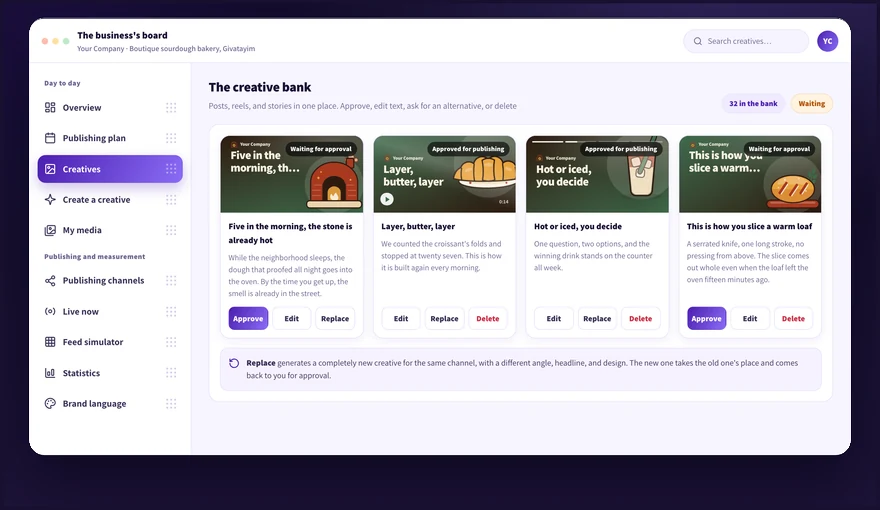
Open one creative in the bank and see that the bottom line of the caption was updated.
A hashtag you remove comes off all the creatives at once. Deleting a suggestion from the suggestions list does not remove a hashtag that is already active.
Most gaps close with a request for an alternative and editing of the text and image before approval. If the gap repeats in every item, the Brand kit probably needs updating with us.
1
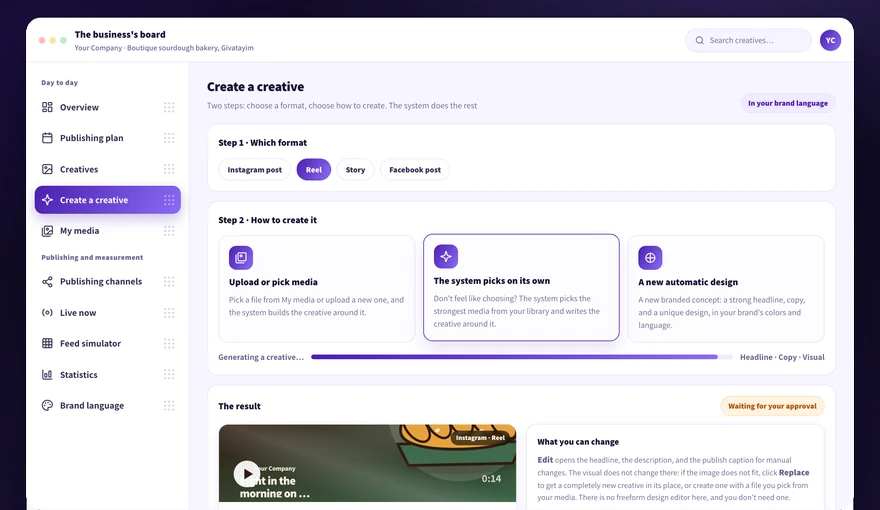
Go back to the Create creative screen and request an alternative.
2
Edit the text or replace the image manually as needed.
3
Choose to create with media from the library if you want full control over the image that appears.
4
Contact us at info@kampi.co.il if the same gap repeats in every creative, so we update the Brand kit.
5
Approve only when the result looks right.
There is no free design editor where you drag elements. When the design does not speak to you, request an alternative.
Didn't find it? Ask us
The bot knows the whole help center. If it doesn't know, it hands you over to us with a summary of what you already tried.